Describe what you need. Ahamo builds it.
Apps, APIs and automations that work with Notion, Slack, Stripe and the other tools you already use. Try it as it takes shape, change it by asking, and publish when it's ready.

How it works
From a few sentences to a published app.
- 01
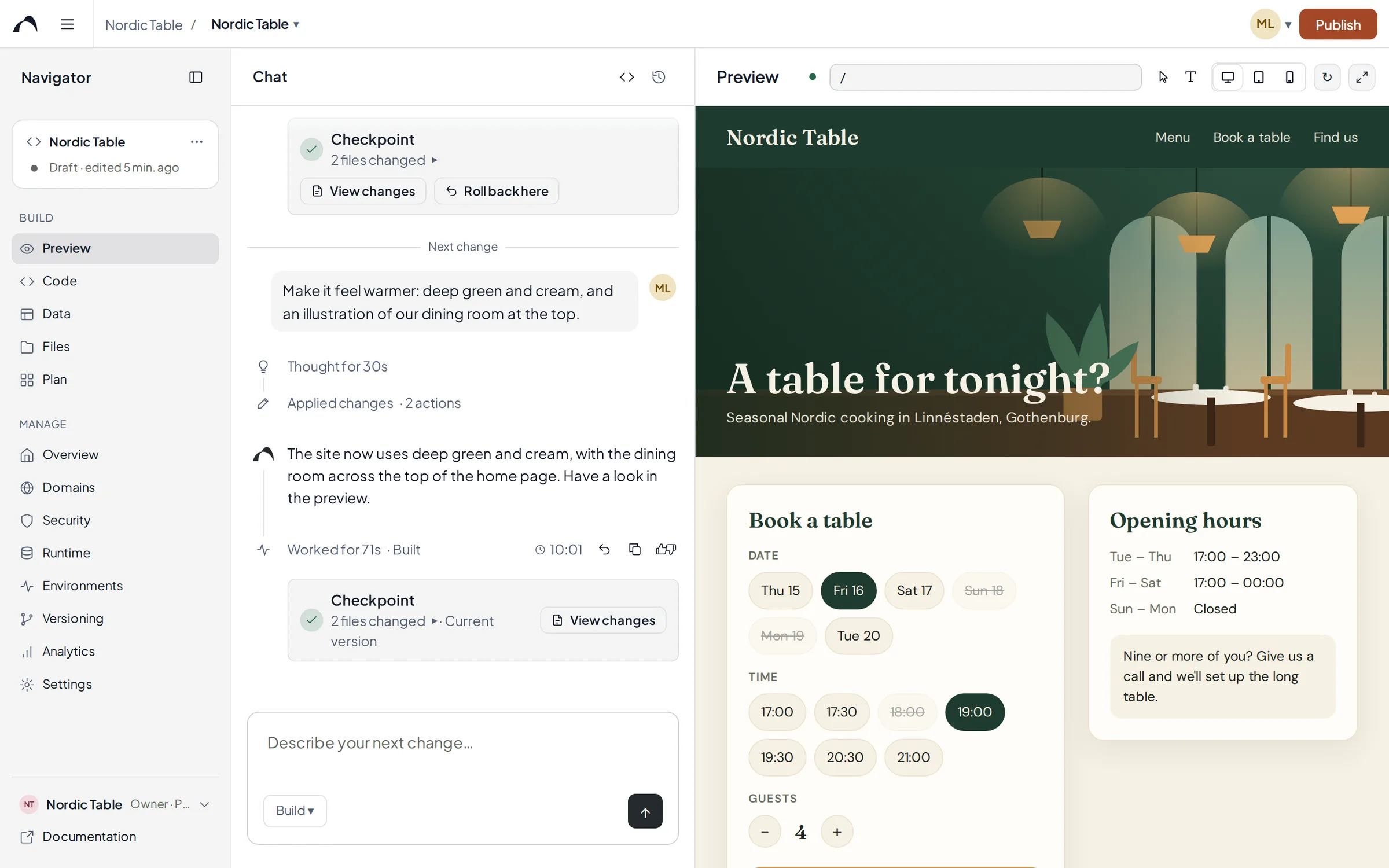
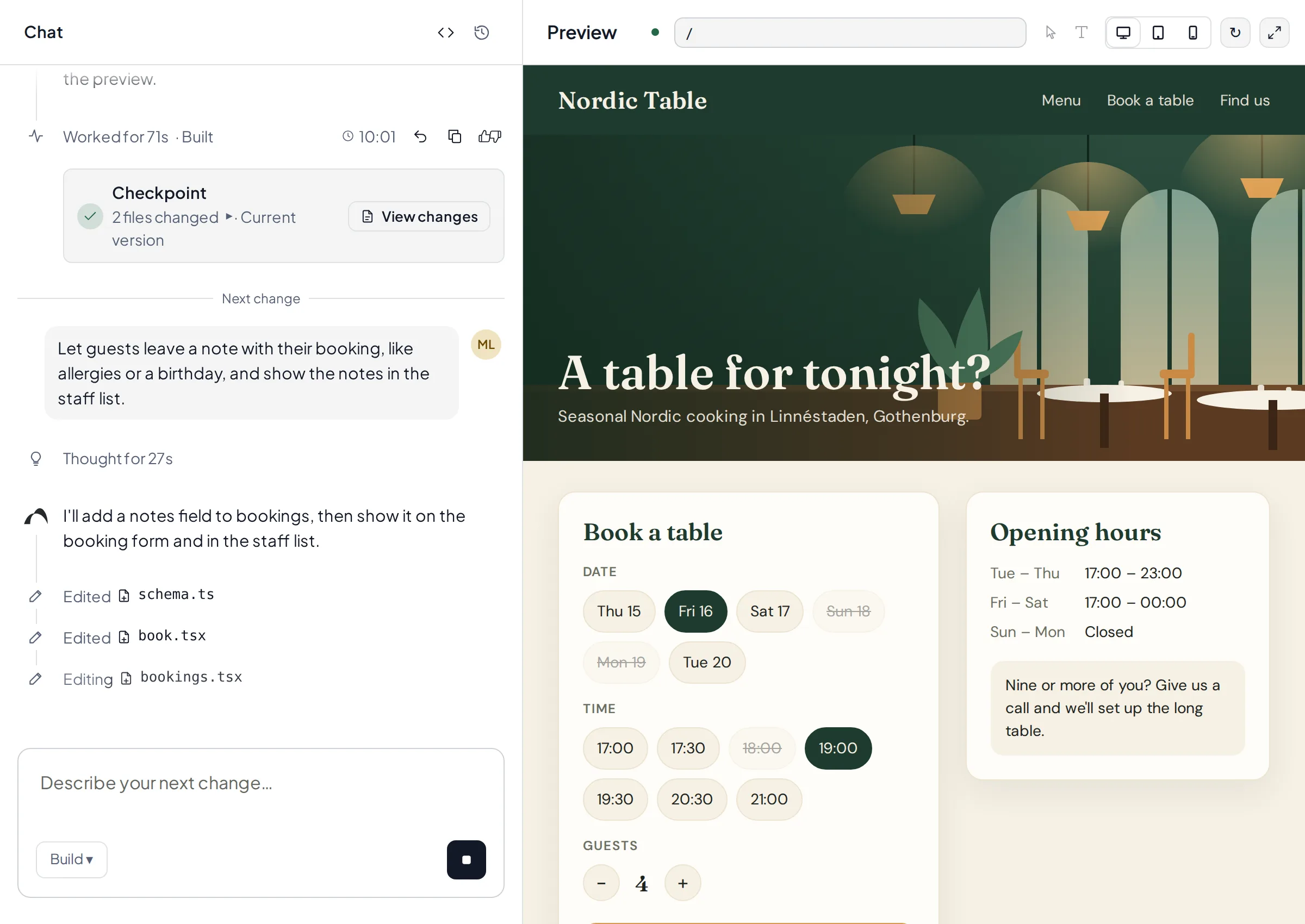
Describe
Say what you need, the way you would explain it to a colleague. The AI plans and builds while you watch the app take shape in the preview.
- 02
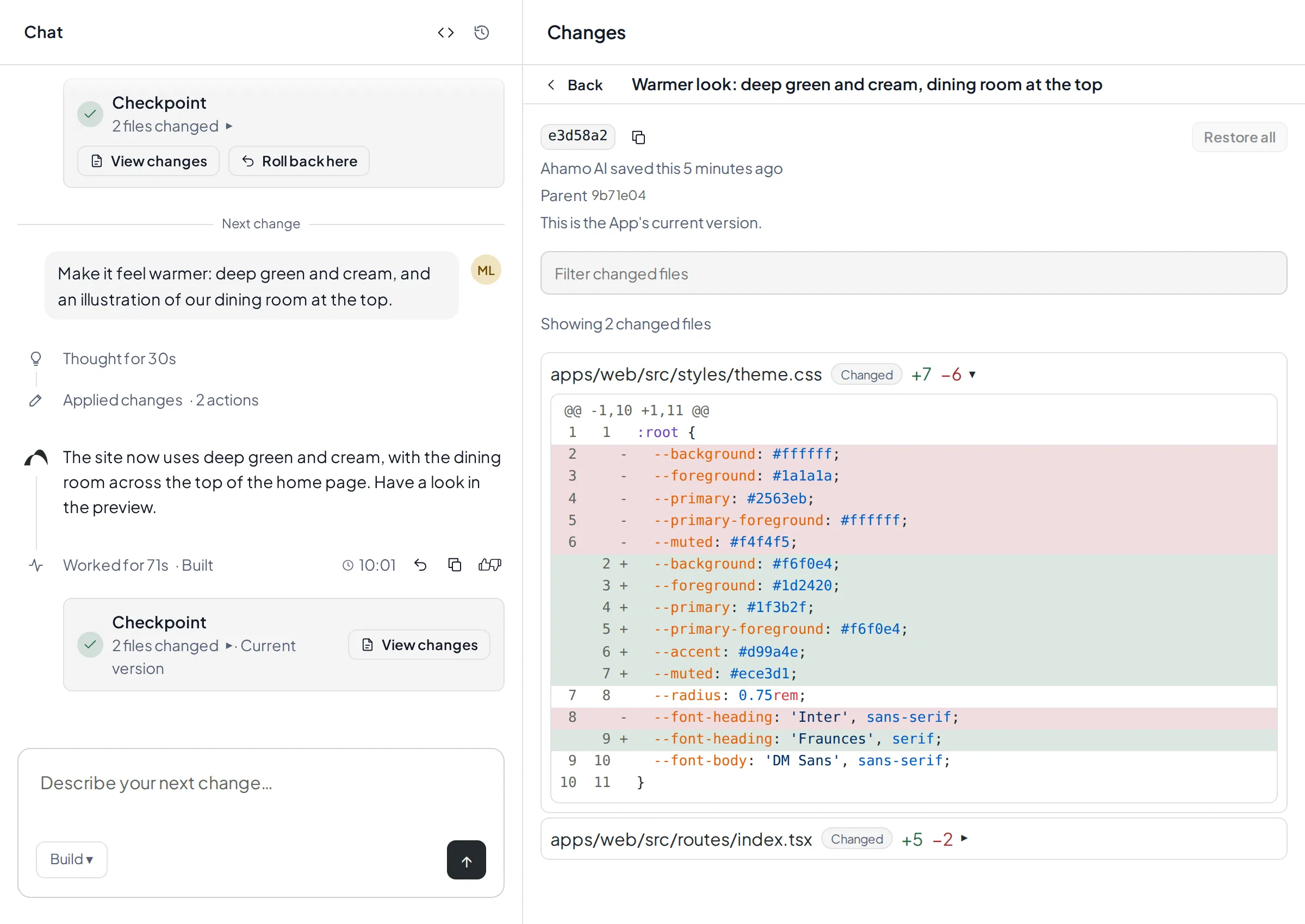
Review
Every round ends with a checkpoint. See exactly what changed, go back with one click, and run a security scan before anything goes live.
- 03
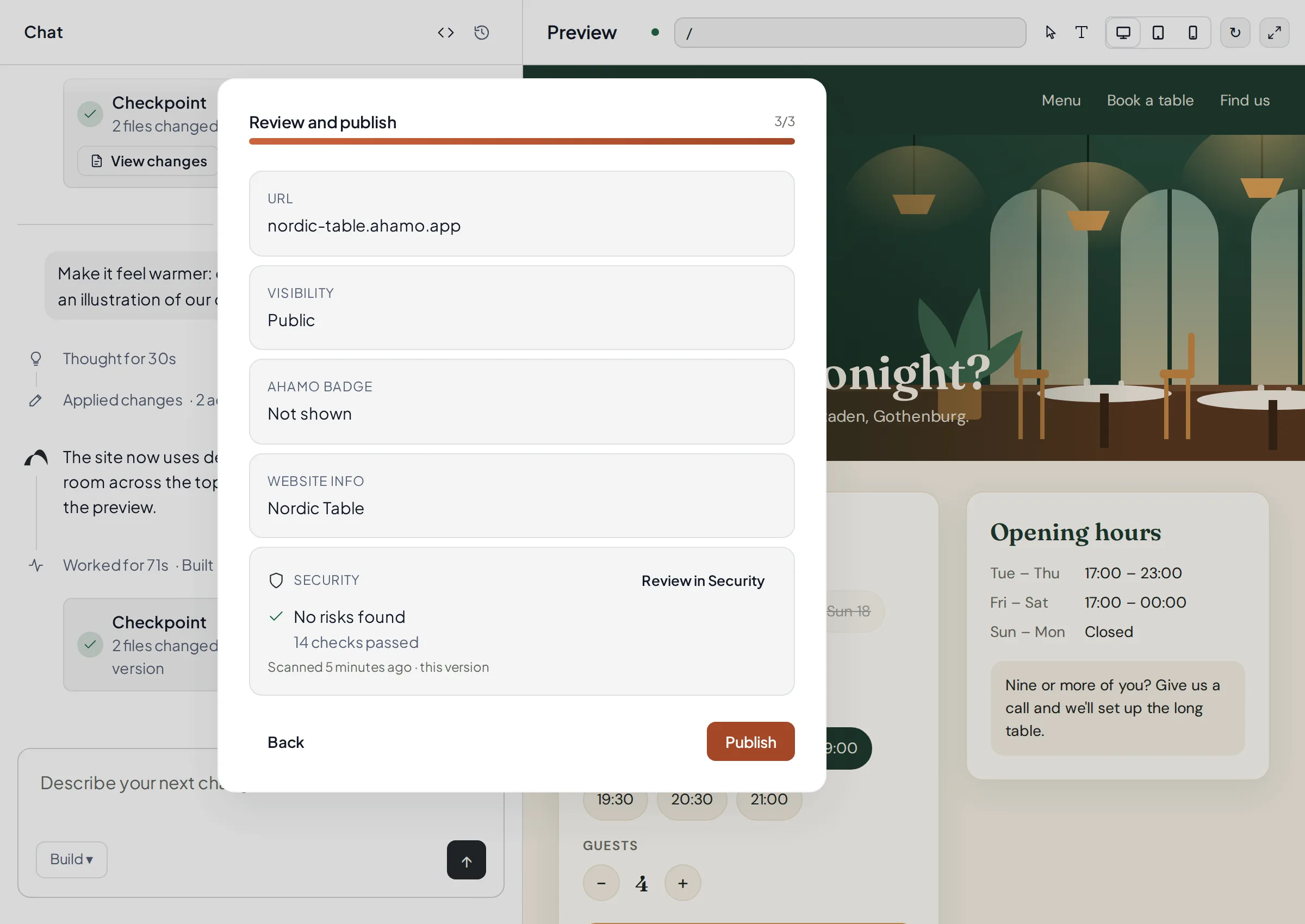
Publish
Publish to your own address on ahamo.app or connect your own domain, and choose who can open the app.
Examples
What you can build.
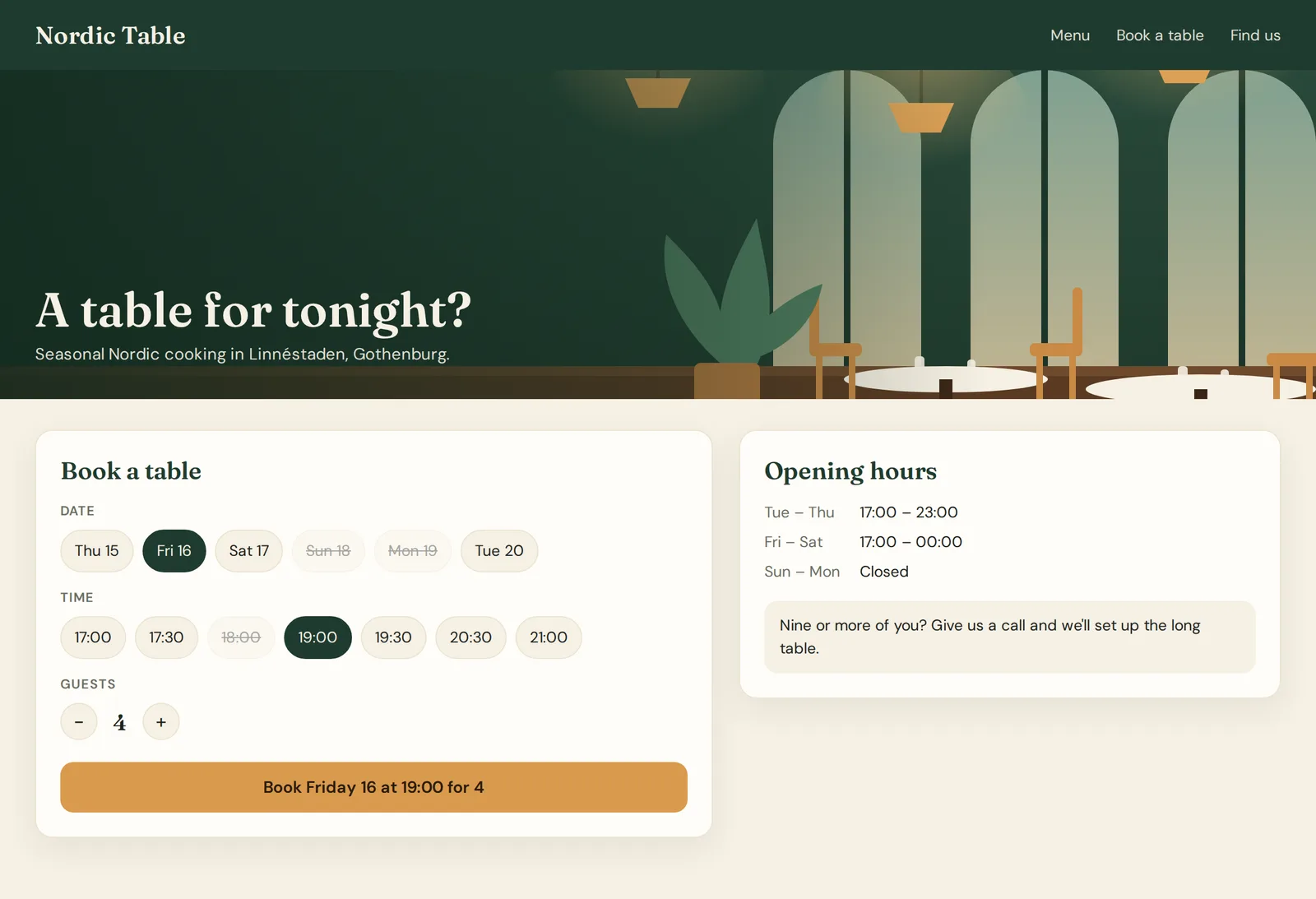
For your customers
Bookings and sign-ups
A restaurant booking page where guests pick a time and staff see the evening's list.
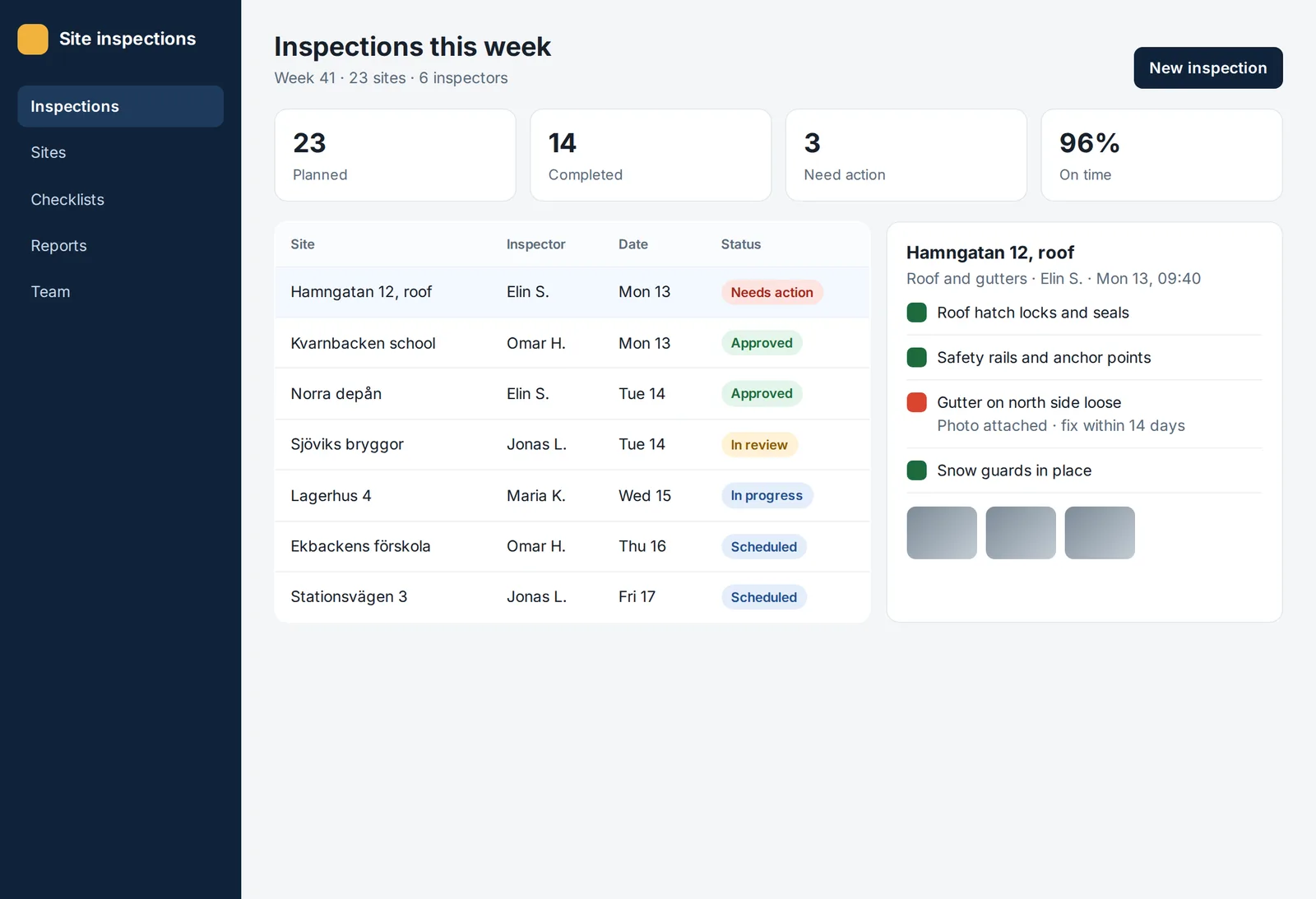
For your team
Internal tools
Site inspections with checklists, photos and follow-ups for a field team.
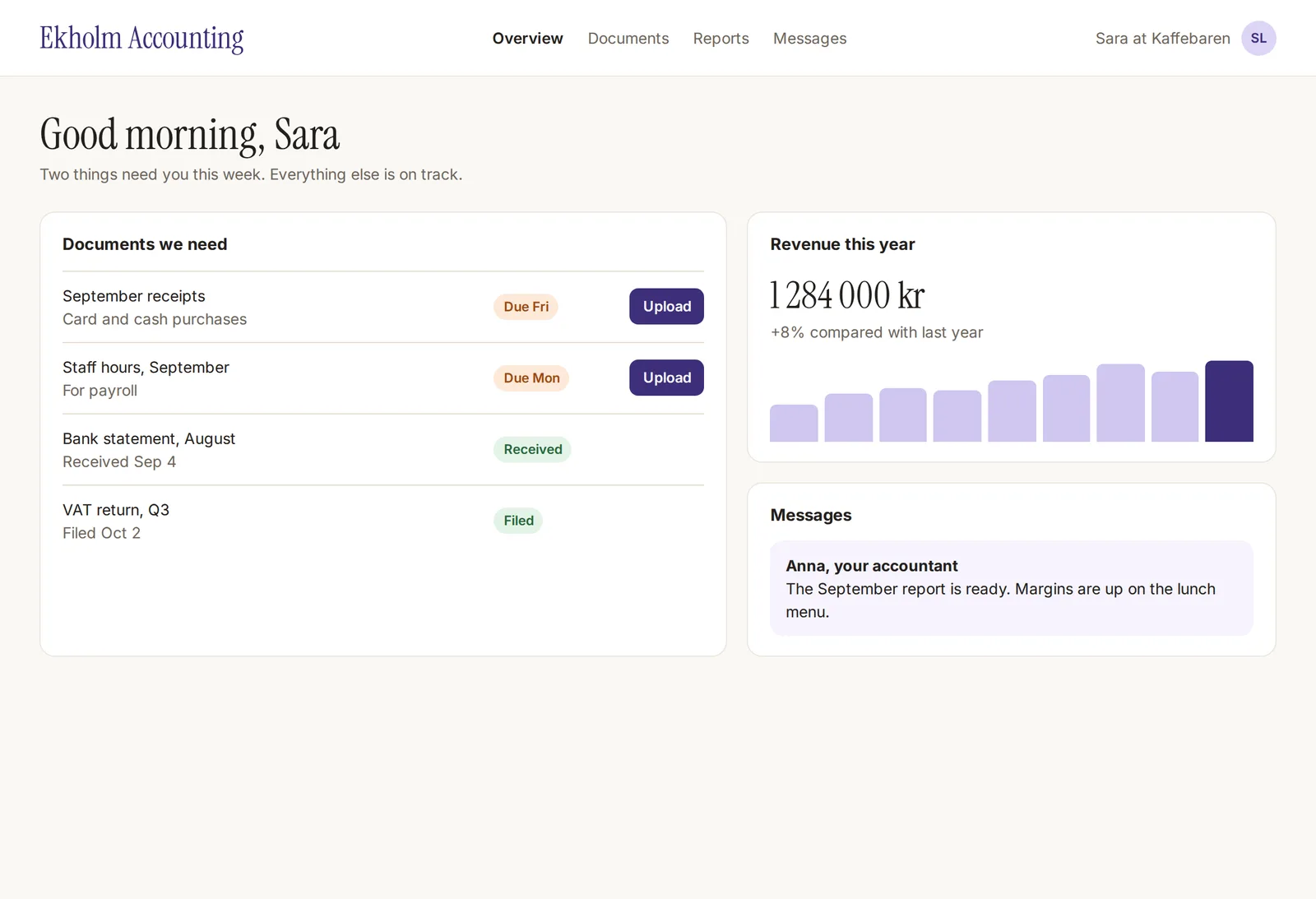
For your clients
Customer portals
A client portal for an accounting firm: documents, deadlines and messages in one place.
The apps shown are illustrative examples.
See more solutions →Connectors
Works with the tools you already use.
Connect an account once and use it everywhere: in the Apps you build, and in the chat while you build them.
 Notionby Notion
 Slackby Slack
 Linearby Linear
 Gmailby Google
 Google Sheetsby Google
 Google Calendarby Google
 Google Driveby Google
 Salesforceby Salesforce
 Stripeby Stripe
 Figmaby Figma
- And many moreSee all connectors
Use it in your Apps
Link a connection to an App, one for the preview and one for the published App. Your App's code names the connector, and the keys stay with Ahamo: they never reach your code.
Use it in the chat
Ask Ahamo's AI to look something up in Notion, Linear or Salesforce while you build. It reads right away and asks before it changes anything.
Keep your team in the loop
Your App posts to Slack when something happens: a new booking, an urgent issue, a payment that failed.
Keep a spreadsheet up to date
Add every new order or sign-up as a row in Google Sheets, or read a sheet to fill your App with data.
Share it with your team
A new connection is yours alone. Share it with your whole workspace when your team should use it too.
Create a page in Notion
Ahamo's AI wants to make this change in Notion for you. Nothing is sent until you approve it.
- Page
- Product roadmap
- Title
- Release notes, week 42
Content · 6 blocks
What's new this week
Bookings can now be moved to another day.
The guest list exports to a spreadsheet.
Ahamo's AI reads your tools right away. Before it creates, sends or changes anything there, it shows exactly where it goes and what it contains, and waits for your approval.
Product names and logos are trademarks of their owners and are shown to identify the services Ahamo connects to; this doesn't imply endorsement.
APIs and automations
Not only apps. APIs and jobs that run on their own.
Ask for an API or a job on a schedule in plain words. Ahamo writes it, runs it while you build, and deploys it with one click.
“Every weekday at 07:00, fetch exchange rates and save a summary to my Notion.”
AutomationEvery weekday at 07:00 AM UTC
Fetches the day's rates and saves a summary page to Notion.
“When a Stripe payment succeeds, add a row to my Google Sheet and post to #sales.”
APIOn every payment Stripe sends
Checks Stripe's signature, adds a row in Google Sheets and posts to #sales in Slack.
“Read my Notion roadmap and draft this week's release notes.”
In the chatRight away, while you build
Reads the roadmap in Notion, drafts the notes and saves them as a page once you approve.
“Connect Linear and Slack: post new urgent issues to #oncall.”
AutomationEvery 5 minutes
Looks for new urgent issues in Linear and posts each one to #oncall in Slack.
Deploy with one click
APIs and automations run on a global edge network, each at its own address, with a database of its own when it needs one.
Try your API
The Overview lists every endpoint. Fill in a request, send it and read the answer in plain words.
Run now and run history
See each job's schedule and its next and last run, read what a run printed, and start one whenever you like.
Analytics
Requests, errors, response times and the busiest endpoints, and every job's runs and failures.
You stay in control
Nothing changes in your tools without you.
Approve every change
Ahamo's AI looks things up right away. To create, send or change something, it shows a card with where it goes and what it contains, and waits for you.
Rules for each connection
Choose Ask each time or Always allow in your own chats, for each connection. Deleting always asks.
Your organisation decides
Admins choose which connectors their workspaces may use and can lock the choice, and a workspace can turn more off. With your own sign-in apps, Notion or Slack shows your organisation's name.
Sign in your way
Email and password, Continue with Google through your organisation's own Google app, or your company's identity provider.
A record of every change
Connections linked to Apps, approved changes, sign-in apps and rule changes all go in the audit log.
Room to undo
Try a release on staging before it goes live, roll back a published App, and restore a deleted App from Trash for 30 days.
Vetted packages
In web Apps, Ahamo's AI builds with a catalog of about 500 reviewed packages for charts, maps, PDFs, payments and more. Anything else goes in only after an admin approves it, and no package goes in that is less than 72 hours old or has a known serious vulnerability.
For organisations
Your apps, your brand, your rules.
You own what you build
The apps and their code are yours.
Platform in the EU
Designed for European requirements. The Ahamo platform runs on servers in the EU.
White-label on your own domain
Run the builder under your brand and address, and publish apps on your own domains.
Security and audit built in
Roles and policies decide who can do what, an audit log records changes, and a security scan checks each app before you publish.
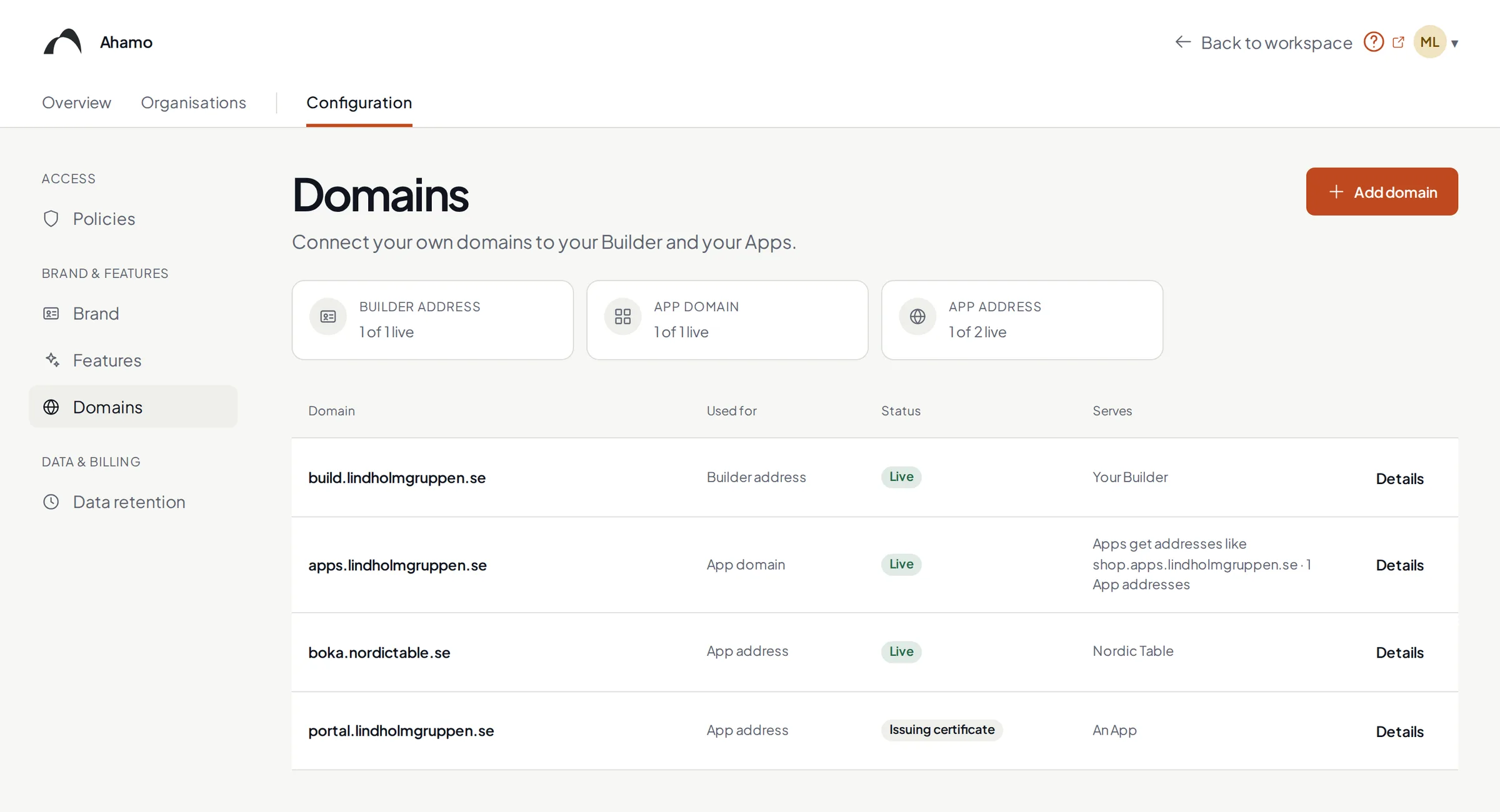
Pilot partners wanted
Your workflow. Our next pilot.
Bring a process worth improving. Work directly with the Ahamo team to define the scope, explore the product, and agree what a successful pilot should demonstrate.
Discuss a pilot→- 01
Scope the pilot
Choose the workflow, users and success criteria. Agree access, support and commercial terms.
- 02
Evaluate together
Explore the platform with guided onboarding and direct collaboration with the Ahamo team.
- 03
Decide what comes next
Review the result before discussing a wider rollout or an enterprise agreement.